
Graphic Design Overview: Learn Techniques, Resources, and Suggestions
Graphic design refers to the practice of creating visual content to communicate ideas and information. It blends creativity, technology, and psychology to shape how people interpret messages across digital and physical platforms
Graphic design exists because every society needs visual communication. Whether for public information, educational materials, online content, or organizational identity, well-structured design helps people receive information quickly and clearly. The rise of digital platforms has further increased the need for organized, accessible, and user-friendly visuals.
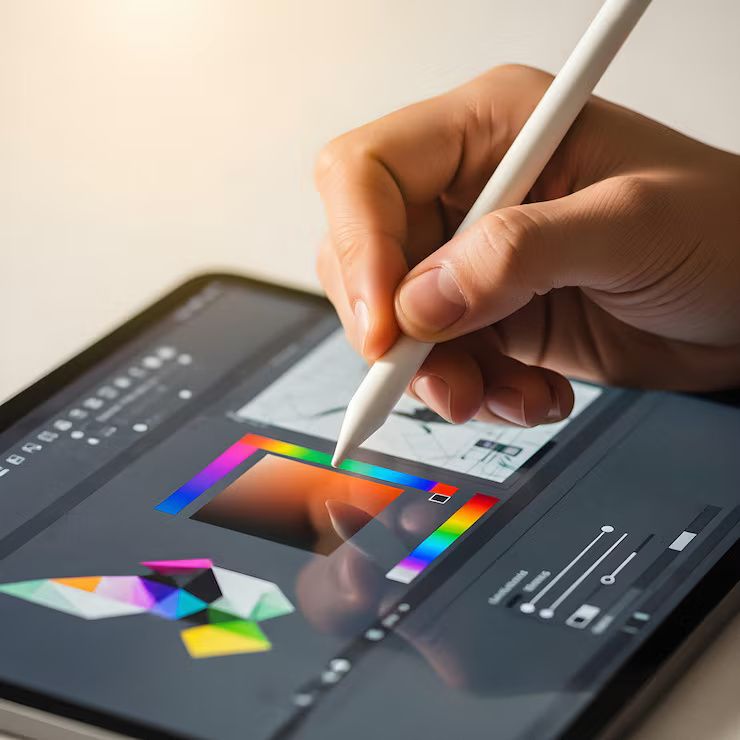
Importance
Graphic design plays a vital role in how information is understood, how organizations present themselves, and how digital platforms function. Its importance extends to multiple groups:
-
Businesses and Organizations
Use it for branding design, visual identity, digital content creation, and public communication. -
Public Sector and Education
Employ clear visual design to present information, instructions, and learning materials. -
Digital Platforms and Apps
Interface design is essential for accessibility, navigation, and user experience. -
General Audience
Benefits from readable layouts, coherent visuals, and structured communication.
Graphic design helps solve several key problems:
-
Improves clarity for complex information through visual organization.
-
Enhances accessibility for users with diverse visual or cognitive needs.
-
Builds recognition through consistent branding design elements.
-
Supports digital communication, which has become central to modern life.
-
Reduces cognitive load by making interfaces and content more intuitive.
In a highly visual digital environment, graphic design is essential for maintaining communication standards, supporting digital transformation, and enabling interactive content across websites, social platforms, and devices.
Recent Updates
Graphic design continues to shift due to advancements in technology, artificial intelligence, digital platforms, and accessibility standards. Several developments have shaped the field in the past year:
AI-Driven Design Expansion (2023–2024)
AI tools for layout creation, vector generation, and content assistance have become widely adopted. Platforms like Adobe Firefly, Canva AI features, and Figma’s AI updates (2023 release cycle) allow designers to speed up workflows and prototype faster.
Accessibility Design Standards Gaining Focus (2024)
Global conversations around Web Content Accessibility Guidelines (WCAG 2.2), published in October 2023, pushed designers toward more inclusive color contrast, text size, and interaction design practices.
Rise of Variable Typography (2023–2024)
Dynamic typefaces that adjust weight, width, and optical size have gained popularity in UI design and branding systems.
Increased Use of 3D and Motion Graphics
Micro-animation, interface motion, and 3D digital graphics are being integrated more frequently in educational content, interface design, and social media formats.
Collaboration Tools Improving Remote Workflows
Design teams increasingly rely on cloud-based platforms like Figma, Adobe Express, and collaborative whiteboards. These updates have supported distributed teams across 2024.
Laws or Policies
Graphic design intersects with several legal and regulatory areas. While design itself is not regulated as a profession, the following rules influence how designers create and distribute work:
Copyright and Intellectual Property
Graphic work is protected under copyright laws in most countries. Designers must consider:
-
Ownership of original artwork
-
Licensing restrictions on fonts, images, and assets
-
Rights of reproduction and distribution
Unauthorized use of copyrighted images or typefaces can lead to legal consequences.
Accessibility Standards
Countries often align with or reference WCAG guidelines for digital accessibility. These rules impact:
-
Color contrast
-
Text size
-
Alternative text for images
-
Navigable design for assistive technology
Organizations building digital interfaces are expected to follow these accessibility standards to ensure equal access.
Consumer Protection Guidelines
Design used in public communication must avoid misleading visuals, inaccurate representation, or manipulative formatting. Clarity is essential in informative graphics, educational visuals, and public-facing digital materials.
Advertising and Platform Policies
Graphic materials used on digital platforms must follow policies regarding:
-
Non-deceptive content
-
Appropriate presentation of information
-
No harmful, discriminatory, or unsafe visuals
-
Compliance with content standards of platforms such as Google, Meta, and government regulations
These rules help ensure design supports ethical and transparent communication.
Tools and Resources
Graphic design relies heavily on software, templates, digital tools, and learning platforms. The selection depends on the type of work being created.
Core Design Software
-
Adobe Photoshop
-
Adobe Illustrator
-
Adobe InDesign
-
Figma (for interface and product design)
-
Affinity Designer & Affinity Photo
Online Design Tools
-
Canva
-
Adobe Express
-
Vectr
-
Gravit Designer
-
Pixlr
Typography Resources
-
Google Fonts
-
Adobe Fonts
-
Variable font libraries
-
Font pairing tools
Color and Accessibility Tools
-
Contrast checkers
-
Color palette generators
-
WCAG color contrast tools
-
Accessibility evaluation plugins
Learning Platforms
-
Coursera
-
Skillshare
-
LinkedIn Learning
-
YouTube educational channels
-
Open-source design tutorials
Planning Templates
-
Brand style guide templates
-
UI layout grids
-
Color and typography systems
-
Graphic design workflow planners
FAQs
1. What is graphic design?
Graphic design is the creation of visual communication using typography, imagery, color, and layout. It helps organize information and make content more understandable across digital and print formats.
2. What skills are important for graphic design?
Key skills include visual communication, layout design, typography, color theory, image editing, and familiarity with digital tools like Photoshop, Illustrator, and Figma.
3. How has graphic design changed recently?
Recent years brought strong growth in AI-assisted tools, accessibility-focused design, motion graphics, and collaborative cloud platforms. These developments have changed workflows and expanded creative possibilities.
4. Why is accessibility important in design?
Accessibility ensures all users—including those with visual, cognitive, or motor differences—can understand and interact with content. Standards like WCAG guide color contrast, text size, and navigation design.
5. What areas does graphic design support?
Graphic design supports branding, content creation, digital interfaces, educational material, public communication, and multimedia presentations across print and digital environments.
Conclusion
Graphic design continues to play a central role in how information is communicated in modern society. It blends creativity, technology, and human-centered principles to ensure clarity, accessibility, and effective communication in a digital-first world. As tools evolve and new standards emerge, designers remain responsible for producing visuals that are inclusive, respectful of legal frameworks, and aligned with modern communication practices.